

การ Query ฟิลด์ข้อมูล "sensitive"
GraphQL schema ต้องสร้างความสมดุลระหว่างฟิลด์สาธารณะและฟิลด์ส่วนตัว เพื่อหลีกเลี่ยงการเปิดเผยข้อมูลส่วนตัวใน public API
โดยค่าเริ่มต้น ทุกฟิลด์ใน GraphQL schema สามารถเข้าถึงได้เฉพาะข้อมูลสาธารณะเท่านั้น ตัวอย่างเช่น posts สามารถดึงข้อมูลได้เฉพาะโพสต์ที่มีสถานะ "publish" เท่านั้น
นอกจากนี้ เราสามารถเพิ่มฟิลด์ข้อมูล "sensitive" และ input fields เข้าไปใน schema ได้ โดยคาดว่าจะใช้งานโดยผู้ดูแลระบบเท่านั้น เปิดใช้งานสำหรับ custom endpoint หรือ persisted query ที่เฉพาะเจาะจง ซึ่งสามารถดึงข้อมูลส่วนตัวได้ด้วย
ตัวอย่างเช่น field argument posts(filter:) จะมี input field เพิ่มเติมชื่อ status ซึ่งช่วยให้เราดึงข้อมูลโพสต์ที่ยังไม่ได้เผยแพร่ (เช่น โพสต์ที่มีสถานะ "pending", "draft" หรือ "trash") สำหรับผู้ใช้ทุกคน ในทำนองเดียวกัน schema จะเปิดเผยฟิลด์ Post.status เพื่อให้ดูข้อมูลนี้ได้
รายการ element ข้อมูล "sensitive"
element ด้านล่าง (รวมถึง element อื่นๆ) จะถูกจัดการเป็นข้อมูลส่วนตัวโดยค่าเริ่มต้น:
User:
emailrolescapabilitiesmetaKeys
Custom Posts:
statuswpAdminEditURLhasPasswordpasswordrawContentrawTitlerawExcerptmetaKeys
Comments:
statusrawContentmetaKeys
Taxonomies:
metaKeys
Custom Post Mutations:
authorByinput
Menu Items:
rawTitle
การเปลี่ยนแปลงการตั้งค่าเริ่มต้น
element ที่ระบุไว้ข้างต้นสามารถเปลี่ยนเป็นสาธารณะได้
ในหน้า Settings แท็บที่เกี่ยวข้องของแต่ละรายการ จะมี checkbox สำหรับตั้งค่าว่าจะจัดการเป็น "sensitive" หรือ "normal":
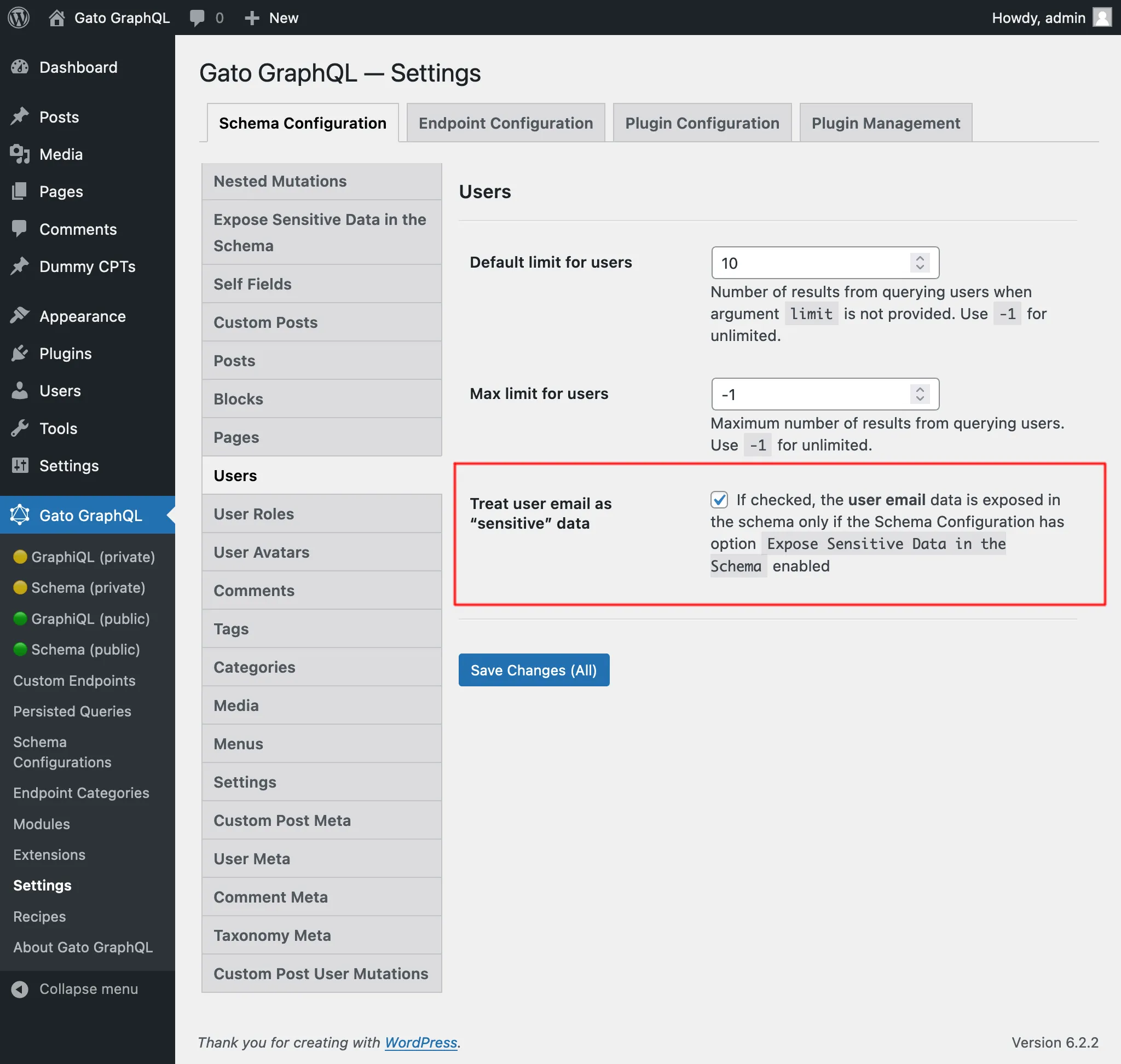
การตรวจสอบ element ข้อมูล "sensitive" ผ่าน schema introspection
property isSensitiveDataElement จะถูกเพิ่มเข้าไปใน field extensions เมื่อทำ schema introspection หากต้องการค้นหา element ข้อมูล "sensitive" จาก schema ให้รัน queries นี้:
query ViewSensitiveDataElements {
__schema {
types {
name
fields {
name
extensions {
isSensitiveDataElement
}
args {
name
extensions {
isSensitiveDataElement
}
}
}
inputFields {
name
extensions {
isSensitiveDataElement
}
}
enumValues {
name
extensions {
isSensitiveDataElement
}
}
}
}
}จากนั้นค้นหารายการที่มี "isSensitiveDataElement": true ในผลลัพธ์
การเพิ่ม element ข้อมูล "sensitive" เข้าสู่ endpoints
การตั้งค่าการเพิ่ม element ข้อมูล "sensitive" เข้าสู่ schema สามารถทำได้ดังนี้ ตามลำดับความสำคัญ:
✅ โหมดเฉพาะสำหรับ custom endpoint หรือ persisted query ที่กำหนดไว้ใน schema configuration
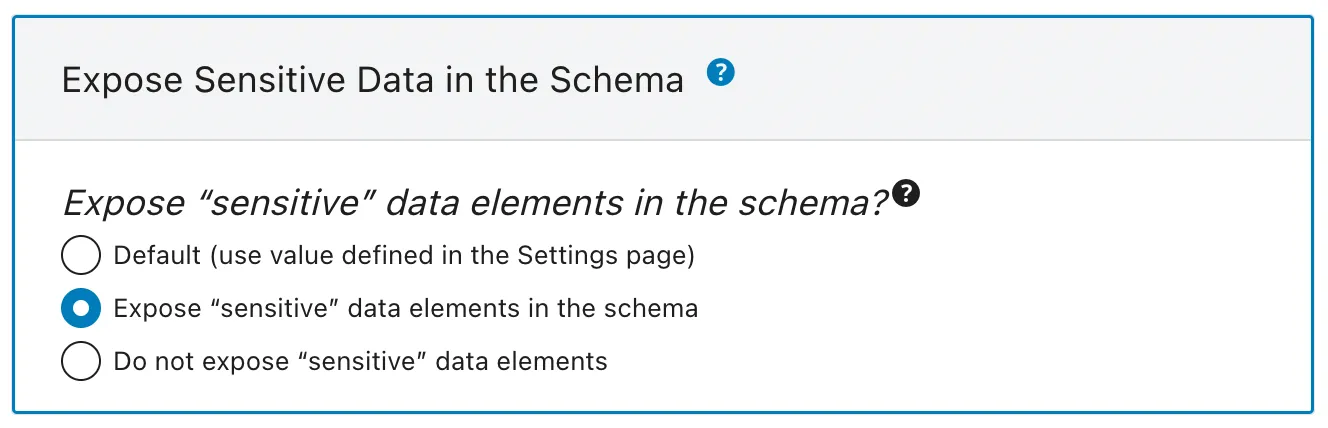
✅ โหมดเริ่มต้น กำหนดใน Settings
หาก schema configuration มีค่า "Default" จะใช้โหมดที่กำหนดไว้ใน Settings:
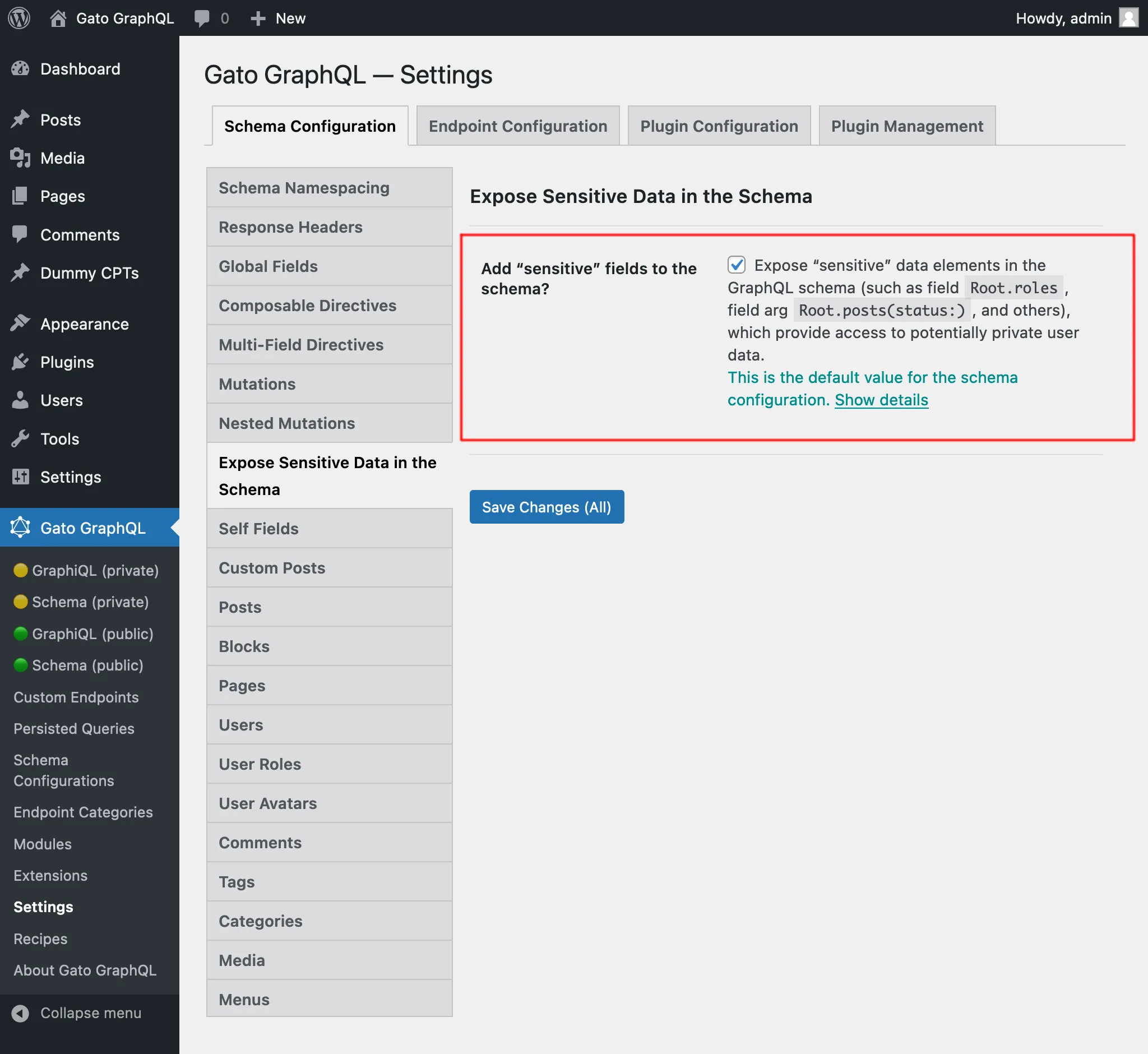
เมื่อไรควรใช้งาน
ใช้งานเมื่อมีการอนุญาตให้เปิดเผยข้อมูลส่วนตัว เช่น เมื่อสร้างเว็บไซต์แบบ static หรือดึงข้อมูลจาก WordPress instance ในเครื่อง (กล่าวคือ ไม่ใช่ public API)