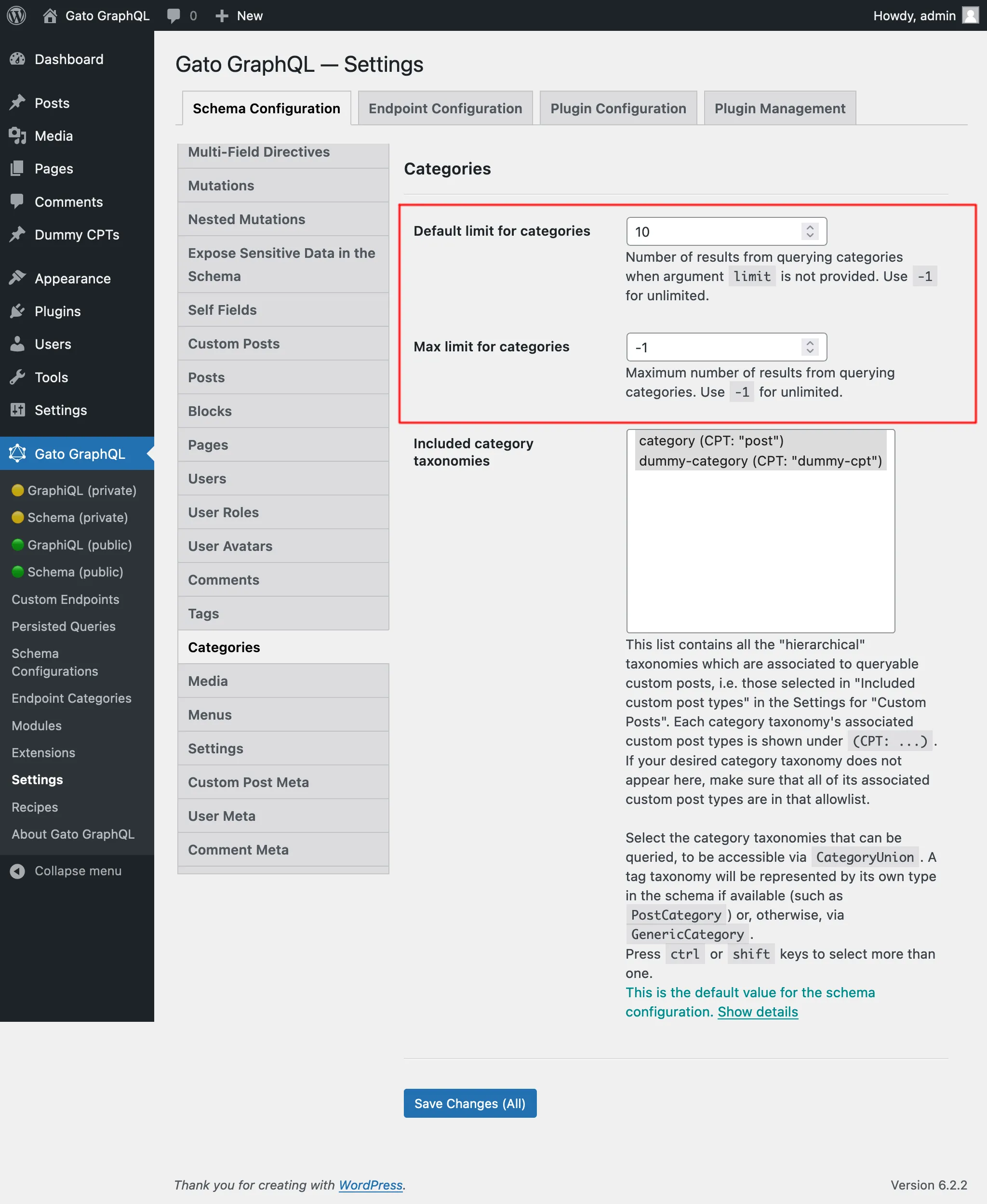
การเพิ่ม Custom Category Taxonomy เข้าสู่ Schema
เราสามารถเพิ่มหมวดหมู่ให้กับโพสต์ใน WordPress ได้ (กล่าวคือ การใช้ taxonomy ที่มีชื่อว่า "category") ซึ่งได้ถูกแมปไว้ใน GraphQL schema แล้วผ่านทาง PostCategory ที่เชื่อมโยงกับ entry Post
Custom Post Types ที่กำหนดโดยธีมหรือปลั๊กอิน (เช่น "product") ก็สามารถมี category taxonomy เป็นของตัวเองได้เช่นกัน (เช่น "product-cat") เนื่องจาก category taxonomy เหล่านี้ไม่มี type เฉพาะสำหรับ GraphQL schema (ซึ่งต้องใช้การขยายผ่านโค้ด PHP) จึงถูก resolve ผ่าน type GenericCategory
เราใช้ฟิลด์ category และ categories เพื่อดึงข้อมูลหมวดหมู่ โดยระบุว่าอ้างอิง taxonomy ใดผ่าน field argument taxonomy ผลลัพธ์จะเป็น union type CategoryUnion ซึ่งรวม entry จาก PostCategory หรือ GenericCategory (ขึ้นอยู่กับ taxonomy ของ entry นั้น)
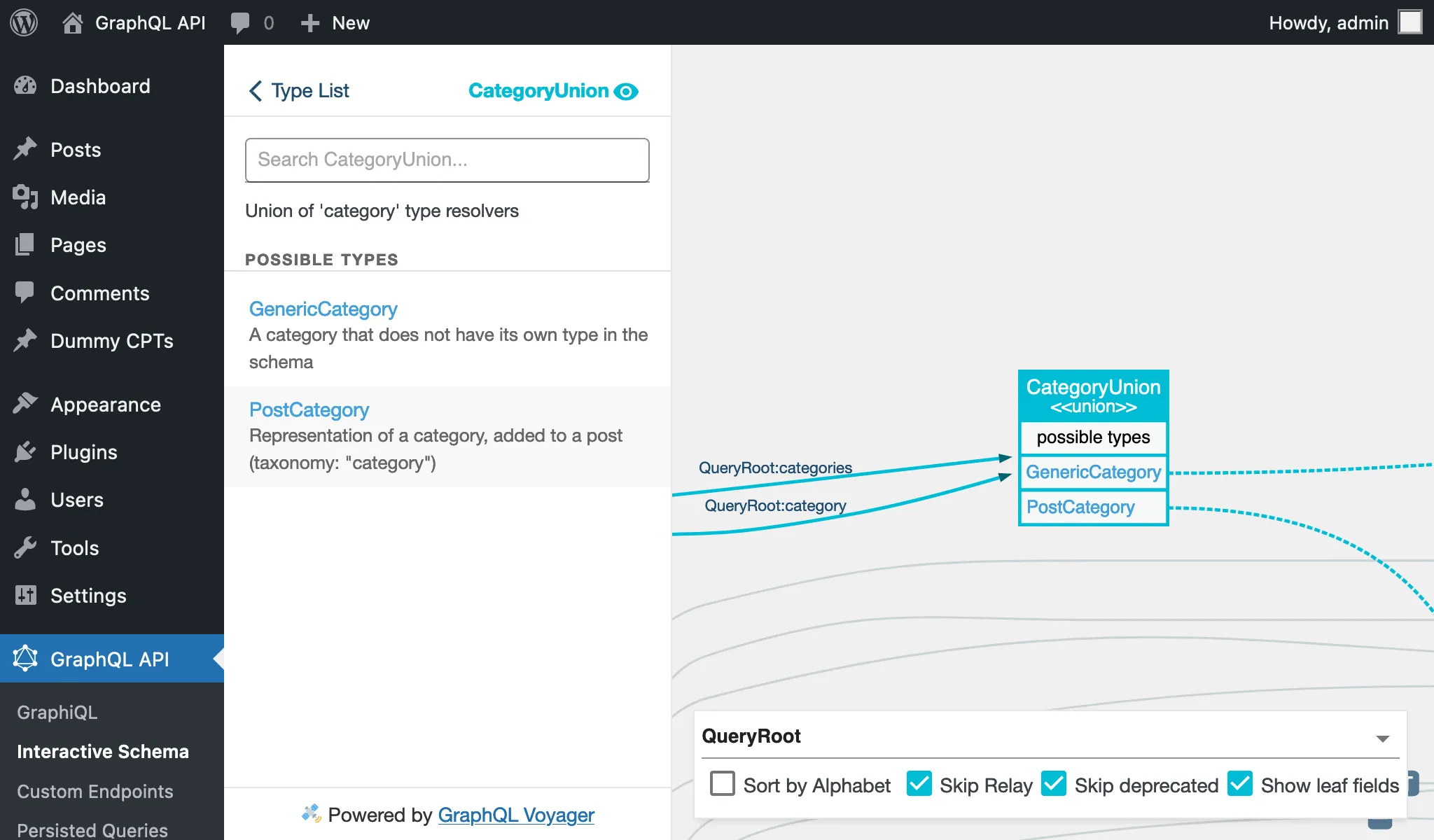
การกำหนดค่า Category Taxonomies ที่สามารถ Query ได้
Category taxonomies ที่สามารถ query ได้จะต้องถูกกำหนดค่าอย่างชัดเจน ซึ่งสามารถทำได้ใน 2 ที่
ในส่วน Schema Configuration ที่ใช้กับ endpoint โดยเลือกตัวเลือก "Use custom configuration" ใต้ "Customize configuration, or use default from Settings?" แล้วเลือกรายการที่ต้องการ:
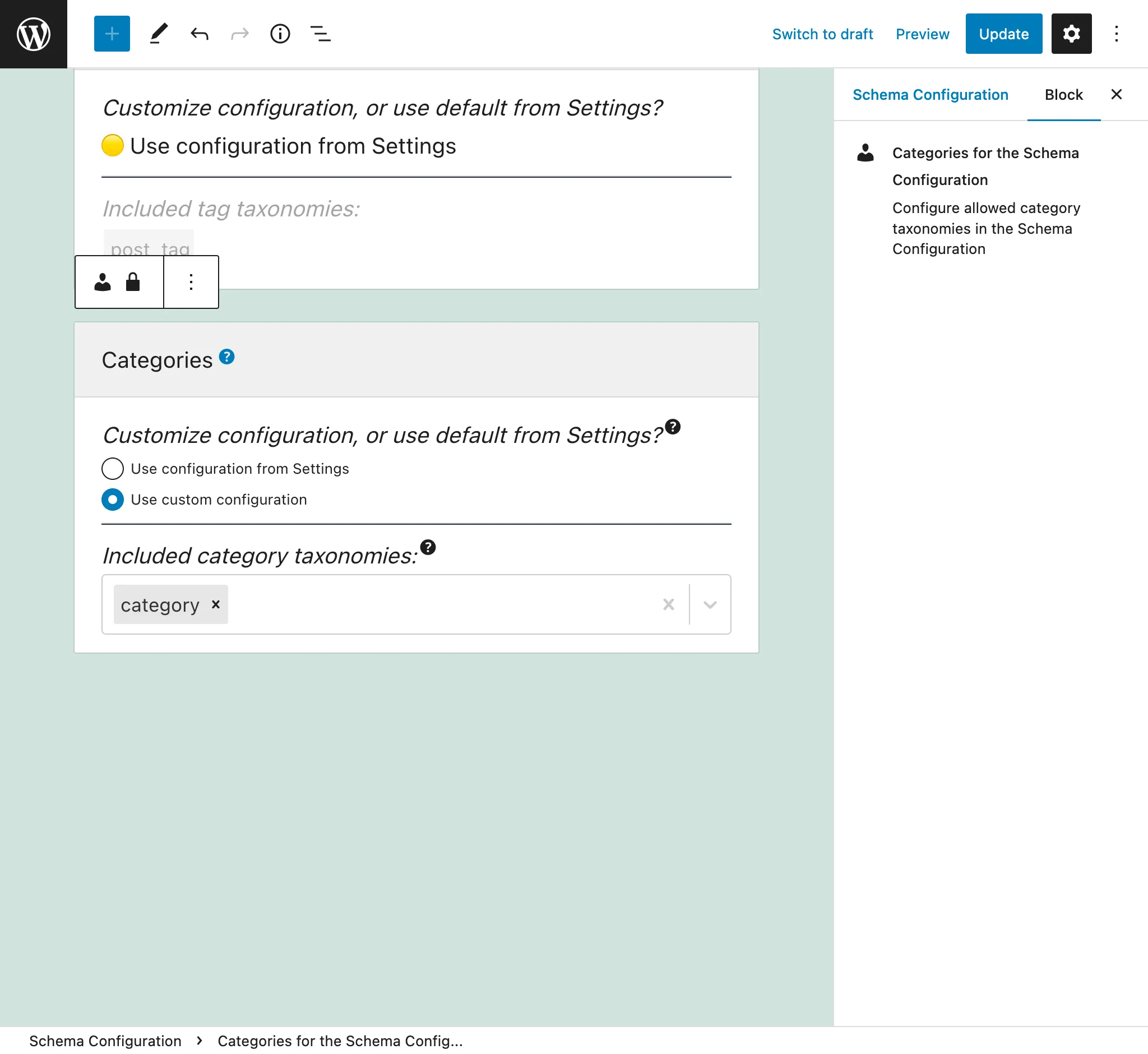
รายการนี้ประกอบด้วย taxonomy แบบ "hierarchical" ทั้งหมดที่เชื่อมโยงกับ custom posts ที่สามารถ query ได้ กล่าวคือ taxonomy ที่ถูกเลือกใน "Included custom post types" ในหน้า Settings ของ "Custom Posts" custom post types ที่เชื่อมโยงกับแต่ละ category taxonomy จะแสดงอยู่ใต้ (CPT: ...) หาก category taxonomy ที่คุณต้องการไม่ปรากฏที่นี่ โปรดตรวจสอบให้แน่ใจว่า custom post types ที่เกี่ยวข้องทั้งหมดอยู่ใน allowlist นั้น
หากเลือกตัวเลือก "Use configuration from Settings" ค่าที่กำหนดไว้ในส่วน "Included category taxonomies" ในหน้า Settings ของ Schema Custom Posts จะถูกนำมาใช้:
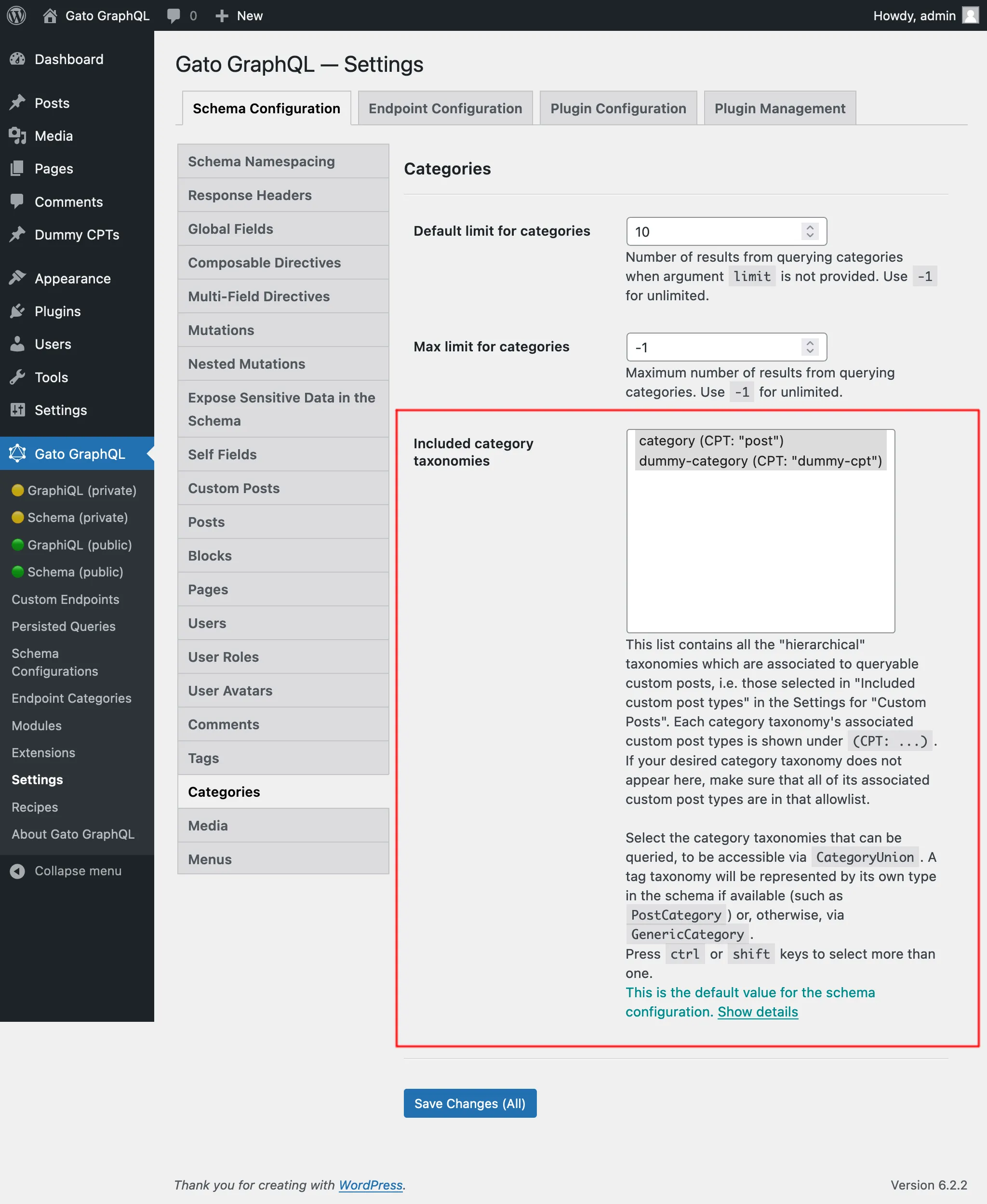
การกำหนดค่าเพิ่มเติม
ผ่านหน้า Settings ของ Schema Categories เราสามารถกำหนดค่าเพิ่มเติมได้ดังนี้:
- จำนวน element เริ่มต้นที่จะดึงข้อมูล (กล่าวคือ เมื่อไม่ได้ตั้งค่า field argument
limit) เมื่อ query รายการของ category taxonomy ใดก็ตาม - จำนวน element สูงสุดที่สามารถดึงข้อมูลได้ในการ query ครั้งเดียว