Automation Configurator
รันคำสั่ง GraphQL Persisted Query โดยอัตโนมัติเมื่อมีเหตุการณ์เกิดขึ้นบนเว็บไซต์
โมดูล Automation Configurator มอบอินเทอร์เฟซผู้ใช้แบบ "automator" สำหรับสร้าง automation ผ่าน WordPress editor
ทริกเกอร์ของ automation คือ WordPress action hook ใดก็ได้ และ action คือการรัน GraphQL persisted query
มี Custom Post Type ชื่อ "Automation Rules" สำหรับสร้าง automation เมื่อสร้างรายการใหม่ จะต้องกำหนดค่าสำหรับ:
- ทริกเกอร์ของ automation
- action ของ automation
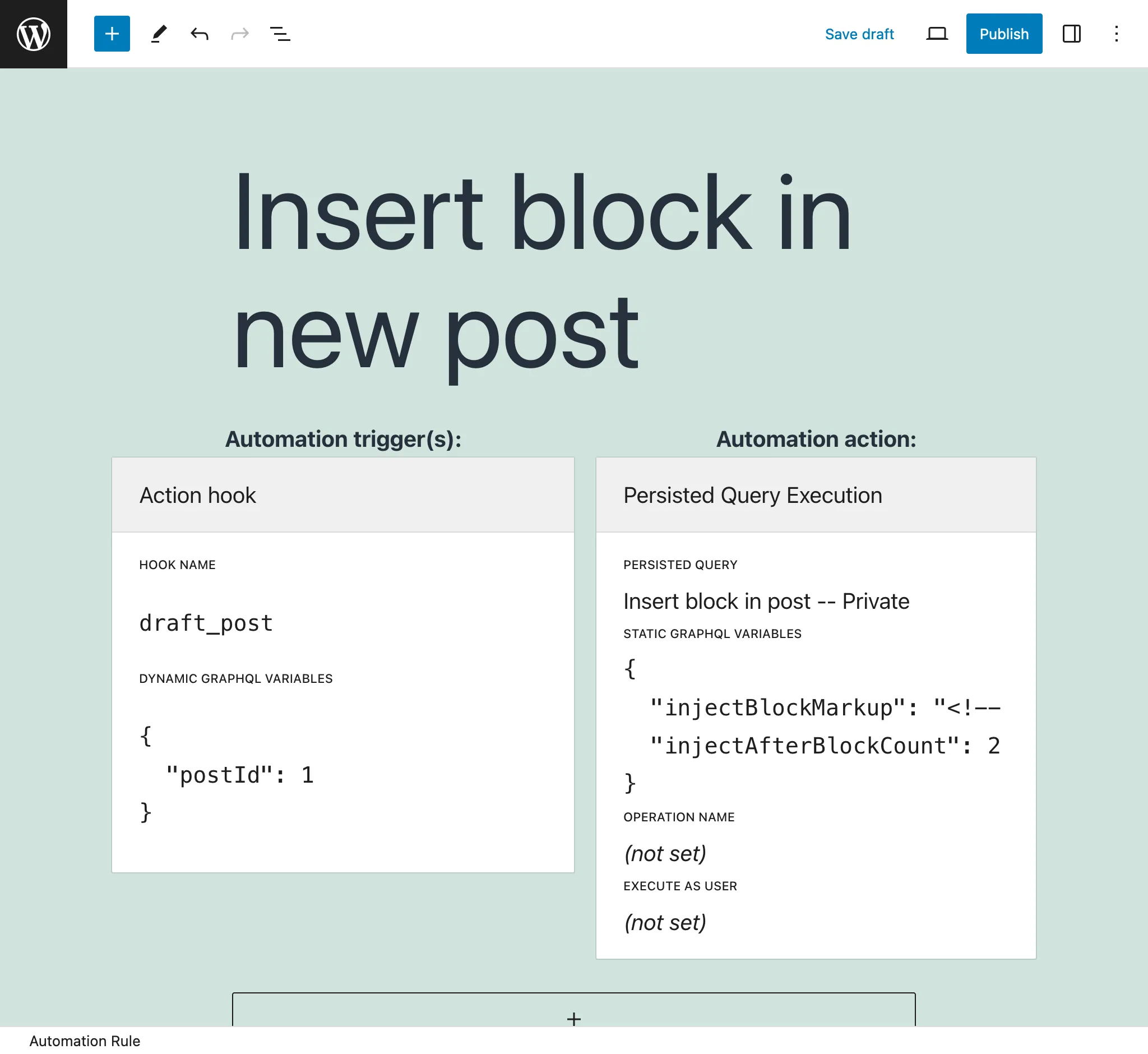
action ของ automation
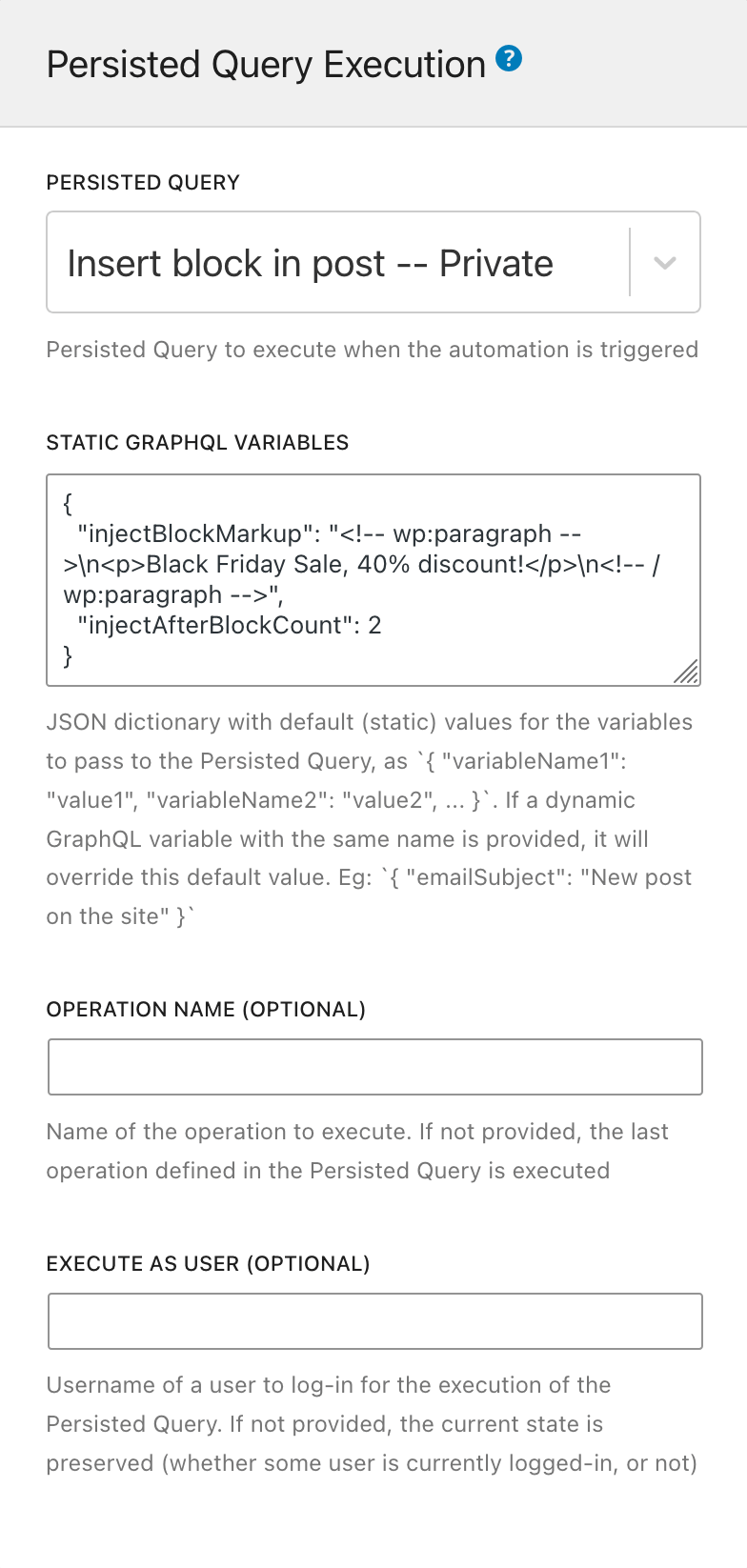
action ของ automation ระบุว่า GraphQL persisted query ใดจะถูกรัน
กำหนดค่ารายการนี้ด้วยองค์ประกอบต่อไปนี้:
Persisted Query: เลือก GraphQL persisted query ที่จะรัน (จากทั้งหมดที่มีสถานะ publish หรือ private)
Static GraphQL Variables: ระบุ JSON string ที่มีค่าสำหรับ GraphQL variables ใน persisted query ค่าเหล่านี้เป็นค่าคงที่
ตัวอย่างเช่น:
{
"emailSubject": "New post on the site"
}ค่าเหล่านี้จะถูกแทนที่ด้วย GraphQL variables แบบ "dynamic" (ดู ทริกเกอร์ของ automation ด้านล่าง)
Operation name (ไม่บังคับ): หาก persisted query มีมากกว่าหนึ่ง operation สามารถระบุได้ว่าจะรัน operation ใด (ค่าเริ่มต้นคือ operation สุดท้าย)
Execute as user (ไม่บังคับ): รัน GraphQL persisted query โดยล็อกอินเป็นผู้ใช้ที่ระบุ โดยให้ระบุ user slug
ทริกเกอร์ของ automation
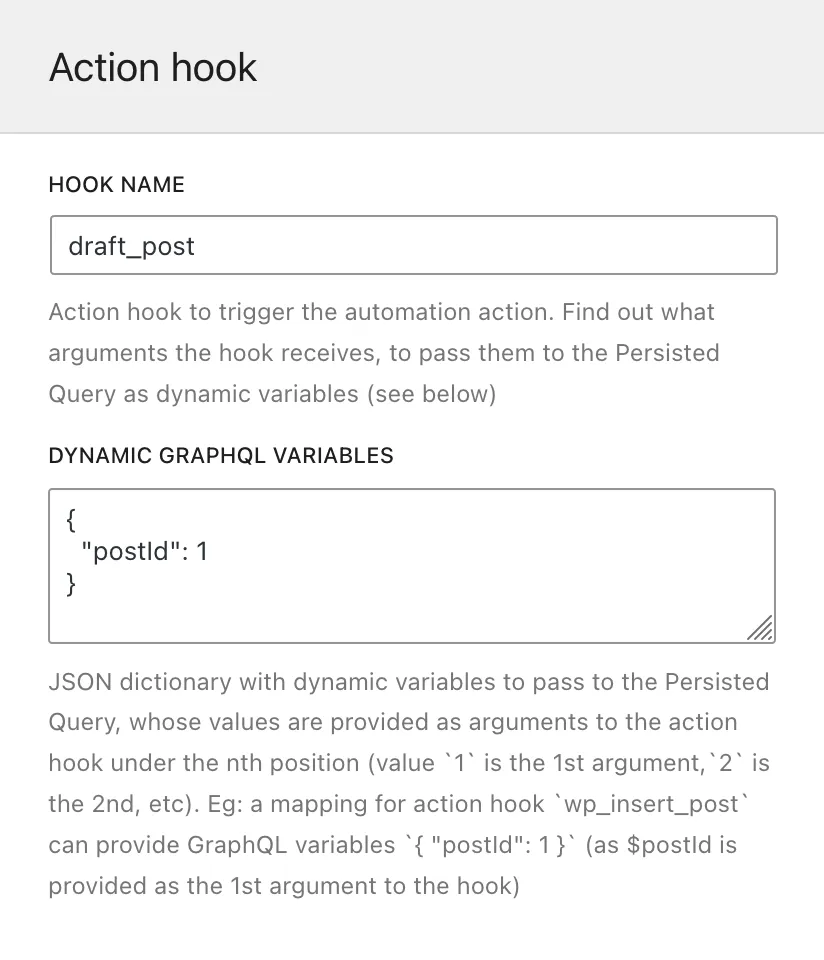
ทริกเกอร์ของ automation ระบุว่า WordPress action hook ใดจะทริกเกอร์การรัน Persisted Query สามารถระบุมากกว่าหนึ่งรายการได้ (เช่น หากต้องการตอบสนองต่อการแก้ไข post หรือ page เท่านั้น สามารถระบุ hook edit_post_post และ edit_post_page)
กำหนดค่ารายการนี้ด้วยองค์ประกอบต่อไปนี้:
Hook name: ชื่อ WordPress action hook
Dynamic GraphQL Variables: ระบุ JSON string ที่แมป GraphQL variables กับ argument ที่ส่งไปยัง hook function ค่า dynamic เหล่านี้จะถูกส่งไปยัง query ในขณะรัน
JSON dictionary ต้องมีชื่อ GraphQL variable เป็น key และตำแหน่งของ argument ใน action hook เป็น value
ตัวอย่างเช่น hook draft_post (จาก post status transitions) ส่ง $post_id เป็น argument แรก JSON ต่อไปนี้ระบุว่า GraphQL variable $postID จะได้รับค่าของ $post_id ที่ส่งไปยัง hook:
{
"postID": 1
}(ในตัวอย่างนี้ 1 หมายถึง "ค่าของ argument ที่ 1 จาก draft_post")
หาก key เดียวกันถูกใช้ทั้งใน "dynamic" และ "static" GraphQL variables (ดู action ของ automation ด้านบน) ค่า dynamic จะมีลำดับความสำคัญสูงกว่า
การแมป WordPress hook
มี WordPress hook บางรายการที่ไม่สามารถใช้งานใน Automation Configurator ได้โดยตรง เนื่องจาก hook เหล่านั้นส่ง PHP object ผ่าน hook ซึ่งไม่สามารถนำมาใช้เป็น GraphQL variable ได้
Hook หลายรายการเหล่านี้ถูกแมปโดย Gato GraphQL โดยการทริกเกอร์ hook ใหม่ที่ขึ้นต้นด้วย gatographql: ตามด้วยชื่อ hook เดิม และส่ง object ID ที่เกี่ยวข้องเป็น variable ซึ่งสามารถนำมาใช้เป็น GraphQL variable ได้
ตัวอย่างเช่น WordPress hook draft_to_publish ส่ง $post เป็น variable (ประเภท WP_Post) Gato GraphQL แมป hook นี้เป็น gatographql:draft_to_publish และส่ง $postId (ประเภท int) เป็น variable
ตารางต่อไปนี้แสดงรายการ WordPress hook ที่ถูกแมป:
| WordPress hook | Hook ที่แมปโดย Gato GraphQL |
|---|---|
{$old_status}_to_{$new_status} (ส่ง WP_Post $post) | gatographql:{$old_status}_to_{$new_status} (ส่ง int $postId, string $postType) |
นอกจากนี้ Gato GraphQL ยังทริกเกอร์ WordPress hook หลายรายการซ้ำโดยเพิ่มข้อมูลพิเศษในชื่อ hook เพื่อให้จับและทำ automation สำหรับเหตุการณ์เฉพาะได้ง่ายขึ้น
ตัวอย่างเช่น hook ที่สร้าง อัปเดต และลบค่า meta จะถูกทริกเกอร์โดยมี meta key เป็นส่วนหนึ่งของชื่อ hook ดังนั้น automation สามารถถูกทริกเกอร์เมื่อมีการกำหนด featured image ให้กับ post บน hook gatographql:added_post_meta:_thumbnail_id
ต่อไปนี้คือ Gato GraphQL hook เพิ่มเติม:
| WordPress hook ต้นทาง | Gato GraphQL hook ที่ถูกทริกเกอร์ |
|---|---|
{$old_status}_to_{$new_status}(ส่ง WP_Post $post) | gatographql:any_to_{$new_status}gatographql:{$old_status}_to_anygatographql:{$old_status}_to_{$new_status}:{$post_type}gatographql:any_to_{$new_status}:{$post_type}gatographql:{$old_status}_to_any:{$post_type}(ทั้งหมดส่ง int $postId, string $postType) |
created_term | gatographql:created_term:{$taxonomy} |
set_object_terms | gatographql:set_object_terms:{$taxonomy}gatographql:updated_object_terms:{$taxonomy} (เมื่อมีความแตกต่างระหว่าง term เก่าและใหม่) |
added_post_meta | gatographql:added_post_meta:{$meta_key}gatographql:added_post_meta:{$post_type}:{$meta_key} (ส่ง string $post_type เป็น parameter ที่ 5 ด้วย) |
updated_post_meta | gatographql:updated_post_meta:{$meta_key}gatographql:updated_post_meta:{$post_type}:{$meta_key} (ส่ง string $post_type เป็น parameter ที่ 5 ด้วย) |
deleted_post_meta | gatographql:deleted_post_meta:{$meta_key}gatographql:deleted_post_meta:{$post_type}:{$meta_key} (ส่ง string $post_type เป็น parameter ที่ 5 ด้วย) |
added_term_meta | gatographql:added_term_meta:{$meta_key}gatographql:added_term_meta:{$taxonomy}:{$meta_key} (ส่ง string $taxonomy เป็น parameter ที่ 5 ด้วย) |
updated_term_meta | gatographql:updated_term_meta:{$meta_key}gatographql:updated_term_meta:{$taxonomy}:{$meta_key} (ส่ง string $taxonomy เป็น parameter ที่ 5 ด้วย) |
deleted_term_meta | gatographql:deleted_term_meta:{$meta_key}gatographql:deleted_term_meta:{$taxonomy}:{$meta_key} (ส่ง string $taxonomy เป็น parameter ที่ 5 ด้วย) |
การดีบักปัญหา
หาก automation ไม่ได้ถูกรัน อาจมีข้อผิดพลาดในการกำหนดค่า automation หรือการรัน persisted query
บันทึกการรัน
ดูรายละเอียดเพิ่มเติมได้ที่ การแก้ไขปัญหา
บันทึกข้อผิดพลาด
ปัญหาการกำหนดค่าทั้งหมด (เช่น JSON string ที่มีรูปแบบผิดสำหรับ GraphQL variables หรือการอ้างอิง persisted query ที่ถูกลบไปแล้ว) และข้อผิดพลาดในการรัน (เช่น exception ที่ถูก throw หรือรายการ errors ใน GraphQL query) จะถูกส่งไปยัง PHP function error_log ดังนั้นจะปรากฏใน WordPress error log
บันทึกข้อผิดพลาดเหล่านี้จะมีคำนำหน้าเป็น [Gato GraphQL]
ตัวอย่าง
ต่อไปนี้คือตัวอย่างการใช้งาน:
- สร้าง featured image สำหรับ post ใหม่โดยใช้ AI
- เพิ่ม block ที่จำเป็นลงใน post เมื่อมีการเผยแพร่
- แทนที่
httpด้วยhttpsในแหล่งรูปภาพและลิงก์ทั้งหมดเมื่อ post ถูกอัปเดต - ส่งอีเมลถึง admin เมื่อมี post ใหม่
- ส่งอีเมลถึงผู้ใช้ที่มีการตอบกลับ comment
- [Multisite] แปลภาษา post ใหม่เป็นหลายภาษา และเพิ่ม post ที่แปลแล้วไปยังแต่ละไซต์
- รัน action บนบริการภายนอก (เช่น แชร์ post ใหม่บน Facebook โดยอัตโนมัติ)
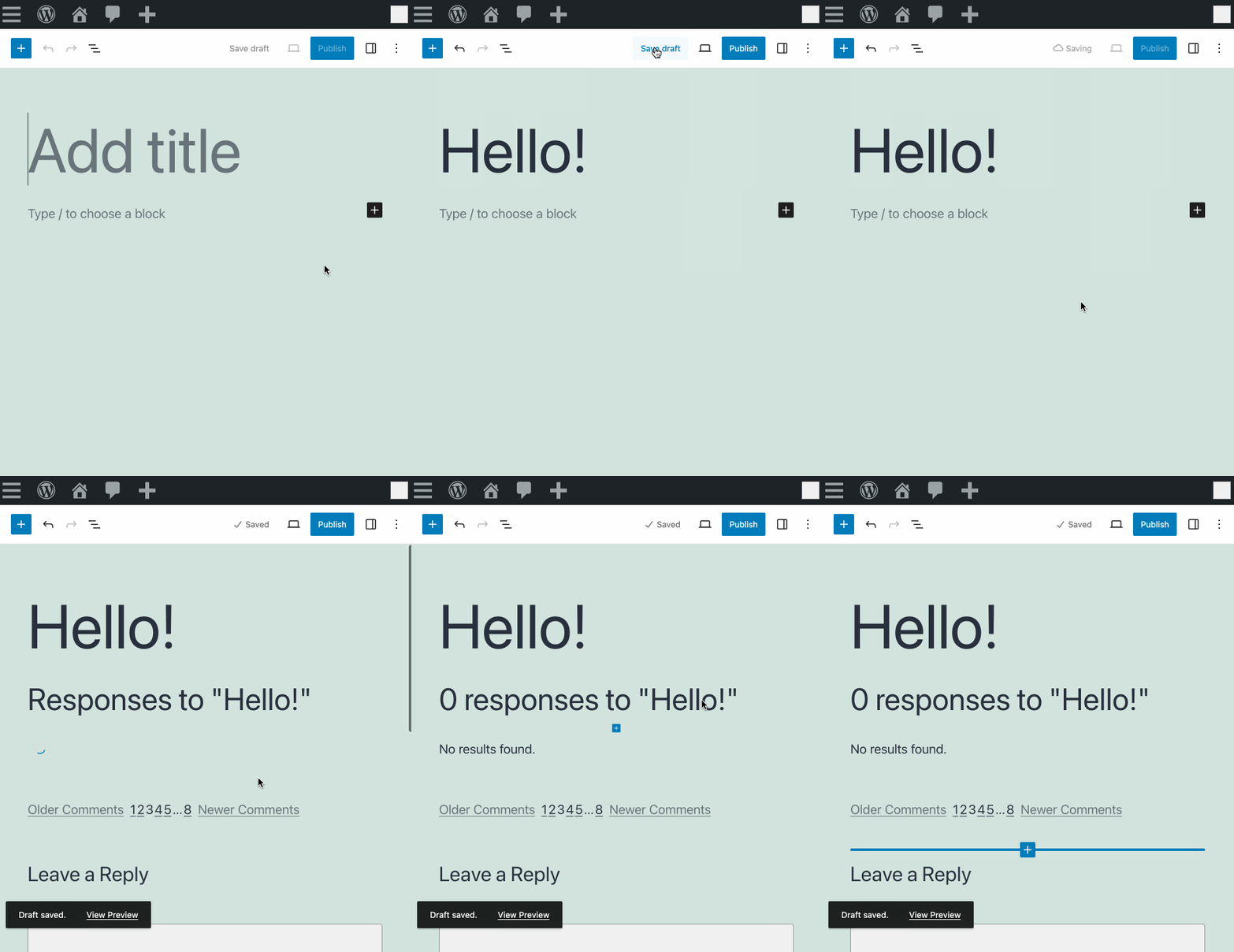
ตัวอย่างเช่น เมื่อสร้าง post ใหม่ด้วยสถานะ draft automation rule ที่กำหนดไว้ล่วงหน้าชื่อ Add comments block to new post จะตรวจสอบว่ามี block core/comments อยู่หรือไม่ และหากไม่มีจะเพิ่มไว้ที่ท้าย post: