


🥳 Gato GraphQL v0.9 เปิดตัวแล้ว!

หลังจากการพัฒนาเกือบ 1.5 ปี และกว่า 16,000 คอมมิต Gato GraphQL เวอร์ชันใหม่ได้เปิดตัวในที่สุด! 🥳
เวอร์ชัน 0.9 เป็นการเปิดตัวที่ยิ่งใหญ่ที่สุดในประวัติศาสตร์ของปลั๊กอิน นี่คือ changelog และนี่คือรายละเอียดครบถ้วนของฟีเจอร์ใหม่ทั้งหมด:
github.com/GatoGraphQL/GatoGraphQL/releases/tag/0.9.3
เอกสารนี้ค่อนข้างยาว (ใช้เวลาอ่านกว่า 40 นาที!) ดังนั้นด้านล่างนี้เป็นสรุปสั้นๆ ของการเปลี่ยนแปลงที่สำคัญที่สุด
ขยาย GraphQL Schema อย่างมีนัยสำคัญ
โมเดลข้อมูลของ WordPress ได้ถูกแมปเข้าสู่ GraphQL schema อย่างครอบคลุม
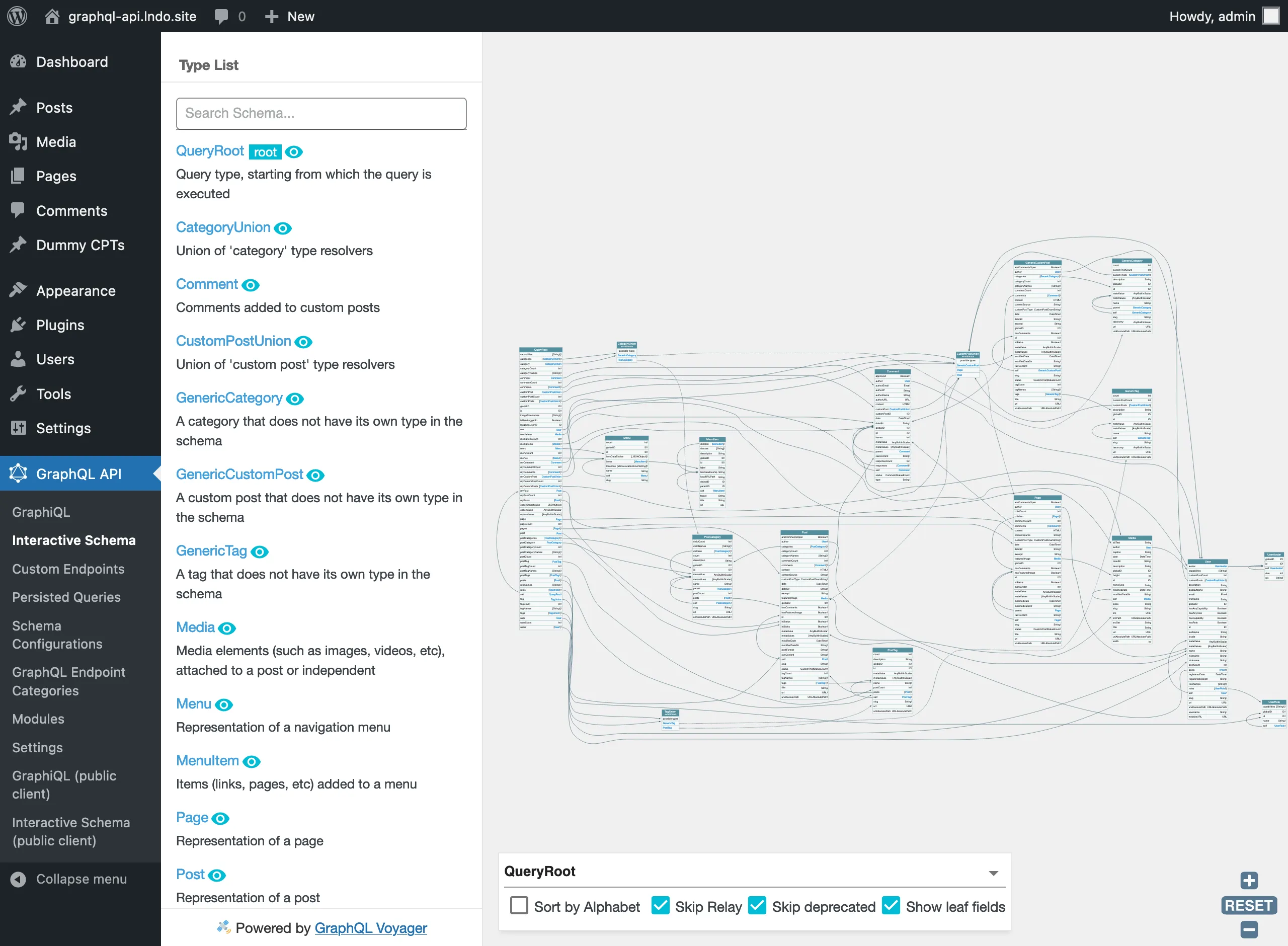
ในบรรดาการปรับปรุงต่างๆ schema มีการพัฒนาดังต่อไปนี้:
- สามารถ query ข้อมูลจาก CPT ใดๆ ได้ รวมถึงจาก theme และปลั๊กอินต่างๆ
- แมป custom taxonomies (แท็กและหมวดหมู่)
- สร้างและส่งคืน GraphQL types ที่เหมาะสมมากขึ้น (เช่น:
HTML,URL,DateTime) - จัดระเบียบ field args ผ่าน input objects
- ใช้ oneof input objects เพื่อเลือก entity ด้วยคุณสมบัติที่แตกต่างกัน (เช่น:
id,slug) - ส่งคืน mutation payloads
- Query การตั้งค่า (จาก
wp_options) และค่า meta (สำหรับโพสต์ ผู้ใช้ ความคิดเห็น และ taxonomies)
Custom Scalars
รองรับประเภท scalar แบบกำหนดเองในเซิร์ฟเวอร์ GraphQL แล้ว Custom scalars ช่วยให้คุณแสดงข้อมูลได้ดียิ่งขึ้น ไม่ว่าจะเป็นการรับ input ผ่าน field argument หรือการพิมพ์ output ที่กำหนดเองในการตอบสนอง
ประเภท custom scalar มาตรฐานหลายประเภทได้รับการนำมาใช้งาน และพร้อมใช้งานใน GraphQL schema ของคุณทันที:
DateDateTimeEmailHTMLURLURLAbsolutePath
Custom Enums
รองรับประเภท enum แบบกำหนดเองแล้ว Enums เป็น scalar ชนิดพิเศษที่จำกัดเฉพาะชุดค่าที่อนุญาต ซึ่งช่วยให้คุณ:
- ตรวจสอบว่า argument ของประเภทนี้เป็นหนึ่งในค่าที่อนุญาต
- สื่อสารผ่านระบบ type ว่า field จะมีค่าเป็นหนึ่งในชุดค่าจำกัดเสมอ
ประเภท enum หลายประเภทได้รับการนำมาใช้งาน และใช้เมื่อเหมาะสมใน GraphQL schema รวมถึง:
CommentOrderByEnumCommentStatusEnumCommentTypeEnumCustomPostOrderByEnumCustomPostStatusEnumMediaItemOrderByEnumMenuOrderByEnumTaxonomyOrderByEnumUserOrderByEnum
Input Objects
เซิร์ฟเวอร์ GraphQL รองรับประเภท input แล้ว และคุณสามารถเพิ่ม input objects ของคุณเองใน GraphQL schema ได้ Input objects ช่วยให้คุณส่งออบเจ็กต์ที่ซับซ้อนเป็น input ให้กับ fields ซึ่งมีประโยชน์อย่างยิ่งสำหรับ mutations
Input objects หลายรายการถูกเพิ่มในตำแหน่งที่เหมาะสมใน schema ตัวอย่างเช่น fields ที่ query ข้อมูล (เช่น posts, users, comments ฯลฯ) รับ input objects ที่ซับซ้อนภายใต้ field args filter, sort และ pagination และ fields ที่ mutate ข้อมูล (เช่น createPost, addCommentToCustomPost ฯลฯ) รับ input object ภายใต้ field arg input
Oneof Input Objects
oneof input object เป็น input object ชนิดพิเศษ ซึ่ง input fields ต้องมีการระบุค่าเพียงหนึ่งฟิลด์เท่านั้น มิฉะนั้นจะส่งคืนข้อผิดพลาดจากการตรวจสอบ พฤติกรรมนี้นำ polymorphism มาใช้กับ inputs
ตัวอย่างเช่น field Root.post ได้รับ field argument by ซึ่งเป็น oneof input object ที่ช่วยให้ดึงข้อมูลโพสต์ผ่านคุณสมบัติที่แตกต่างกัน เช่น ด้วย id หรือ slug:
{
postByID: post(by: {
id: 1
}) {
id
title
}
postBySlug: post(by: {
slug: "hello-world"
}) {
id
title
}
}ข้อดีคือ field เดียวสามารถใช้รับมือกับกรณีการใช้งานที่แตกต่างกันได้ ทำให้ไม่จำเป็นต้องสร้าง field แยกต่างหากสำหรับแต่ละกรณี (เช่น postByID, postBySlug ฯลฯ) ทำให้ GraphQL schema กระชับและสวยงามยิ่งขึ้น
Oneof Input Objects หลายรายการได้รับการนำมาใช้งาน:
Root.customPost(by:)Root.mediaItem(by:)Root.menu(by:)Root.page(by:)Root.postCategory(by:)Root.postTag(by:)Root.post(by:)Root.user(by:)
Operation Directives
GraphQL operations (คือ query และ mutation operations) สามารถรับ directives ได้แล้ว
จำกัด Directives ให้เฉพาะประเภทที่กำหนด
(Field) directives สามารถถูกจำกัดให้ใช้กับ fields ของประเภทที่กำหนดเท่านั้น ตัวอย่างเช่น directive @strUpperCase ที่แปลงค่า field เป็นตัวพิมพ์ใหญ่มีความหมายสำหรับ String fields เท่านั้น ไม่ใช่ Int หรือ Float หรือ Boolean ขณะนี้สามารถประกาศข้อจำกัดนี้ใน directive resolver ได้แล้ว
แสดง path เต็มไปยัง GraphQL query node ที่เกิดข้อผิดพลาด
ขณะนี้การตอบสนองจะมี path เต็มไปยัง nodes ใน GraphQL query ที่ส่งคืนข้อผิดพลาด (ภายใต้รายการย่อย extensions.path) ทำให้ค้นหาแหล่งที่มาของปัญหาได้ง่ายขึ้น
ตัวอย่างเช่น ใน query ต่อไปนี้ directive @nonExisting ไม่มีอยู่จริง:
query {
myField @nonExisting
}การตอบสนองมีดังนี้:
{
"errors": [
{
"message": "There is no directive with name 'nonExisting'",
"locations": [
{
"line": 2,
"column": 7
}
],
"extensions": {
"type": "QueryRoot",
"field": "myField @nonExisting",
"path": [
"@nonExisting",
"myField @nonExisting",
"query { ... }"
],
"code": "PoP\\ComponentModel\\e20"
}
}
],
"data": {
"id": "root"
}
}เปิดใช้งานการตั้งค่าเริ่มต้นที่ไม่ปลอดภัย
Gato GraphQL มีการตั้งค่าเริ่มต้นที่ปลอดภัย:
- single endpoint ถูกปิดใช้งาน
- องค์ประกอบข้อมูล "sensitive" ใน GraphQL schema (เช่น
User.rolesหรือการกรองโพสต์ด้วยstatus) ไม่ถูกเปิดเผย - สามารถ query การตั้งค่าและ meta keys ได้เพียงไม่กี่รายการ (สำหรับโพสต์ ผู้ใช้ ฯลฯ)
- จำนวน entities ที่สามารถ query ได้พร้อมกันถูกจำกัด (สำหรับโพสต์ ผู้ใช้ ฯลฯ)
การตั้งค่าเริ่มต้นที่ปลอดภัยเหล่านี้จำเป็นสำหรับทำให้ไซต์ "live" ปลอดภัย เพื่อป้องกันการโจมตีที่เป็นอันตราย อย่างไรก็ตาม ไม่จำเป็นเมื่อสร้างไซต์ "static" ซึ่ง WordPress ไม่เสี่ยงต่อการโจมตี (เช่น เมื่อเป็นไซต์พัฒนาบนแล็ปท็อป อยู่หลัง firewall ที่ปลอดภัย หรือไม่ถูกเปิดเผยต่ออินเทอร์เน็ต)
เริ่มตั้งแต่ v0.9 เราสามารถเปิดใช้งาน unsafe defaults ได้โดยเพิ่มใน wp-config.php:
define( 'GRAPHQL_API_ENABLE_UNSAFE_DEFAULTS', true );หรือเราสามารถกำหนด key/value เดียวกันนี้เป็นตัวแปรสภาพแวดล้อม
เมื่อเปิดใช้งาน unsafe defaults การตั้งค่าเริ่มต้นของปลั๊กอินจะเปลี่ยนแปลงดังนี้:
- single endpoint ถูกเปิดใช้งาน
- องค์ประกอบข้อมูล "sensitive" ถูกเปิดเผยใน GraphQL schema
- การตั้งค่าและ meta keys ทั้งหมดสามารถ query ได้
- จำนวน entities ที่สามารถ query ได้พร้อมกันไม่มีขีดจำกัด
จัดระเบียบ Custom Endpoints และ Persisted Queries ตามหมวดหมู่
เมื่อสร้าง Custom Endpoint หรือ Persisted Query เราสามารถเพิ่ม "GraphQL endpoint category" เพื่อจัดระเบียบ endpoints ทั้งหมดของเรา:
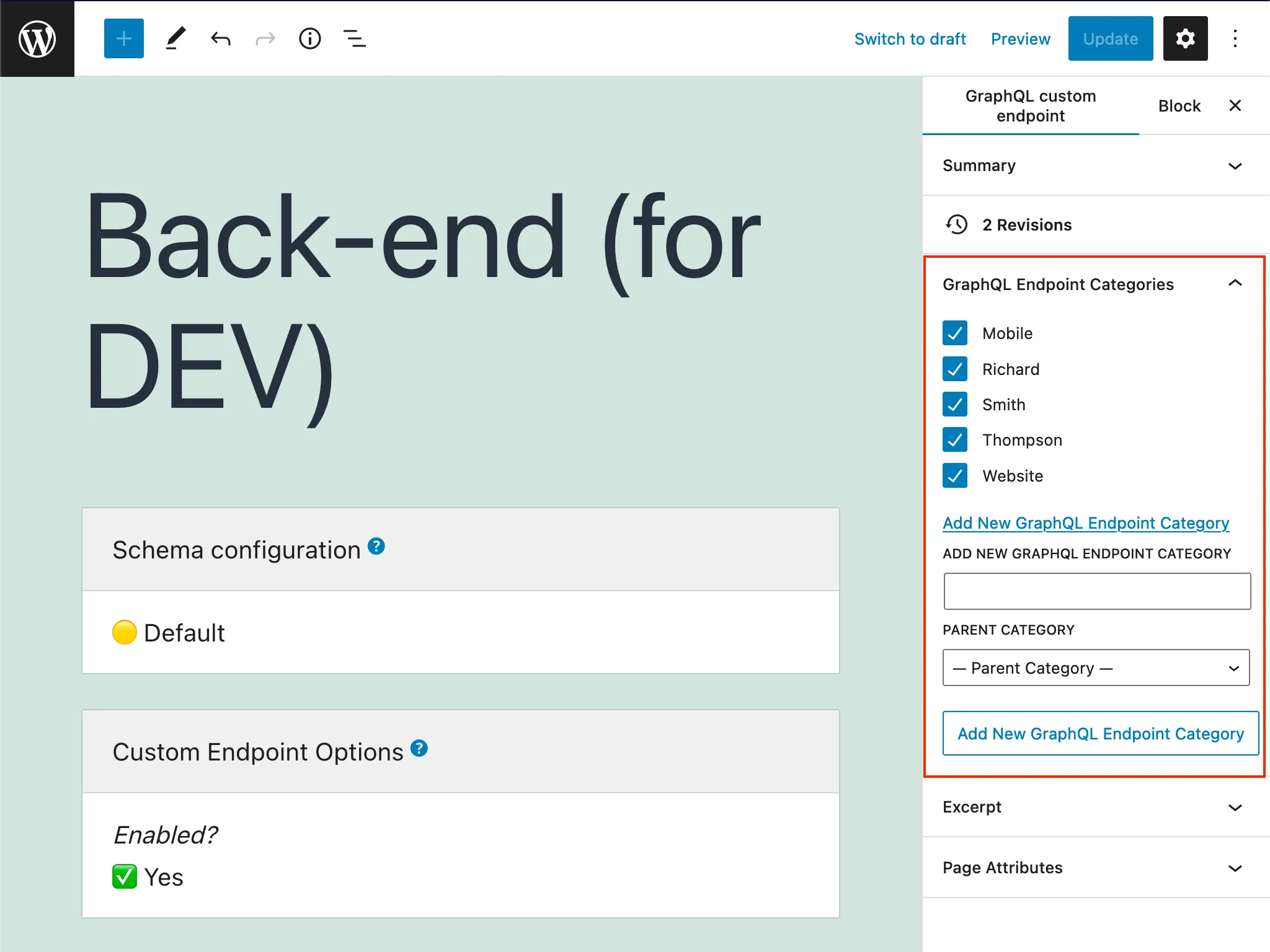
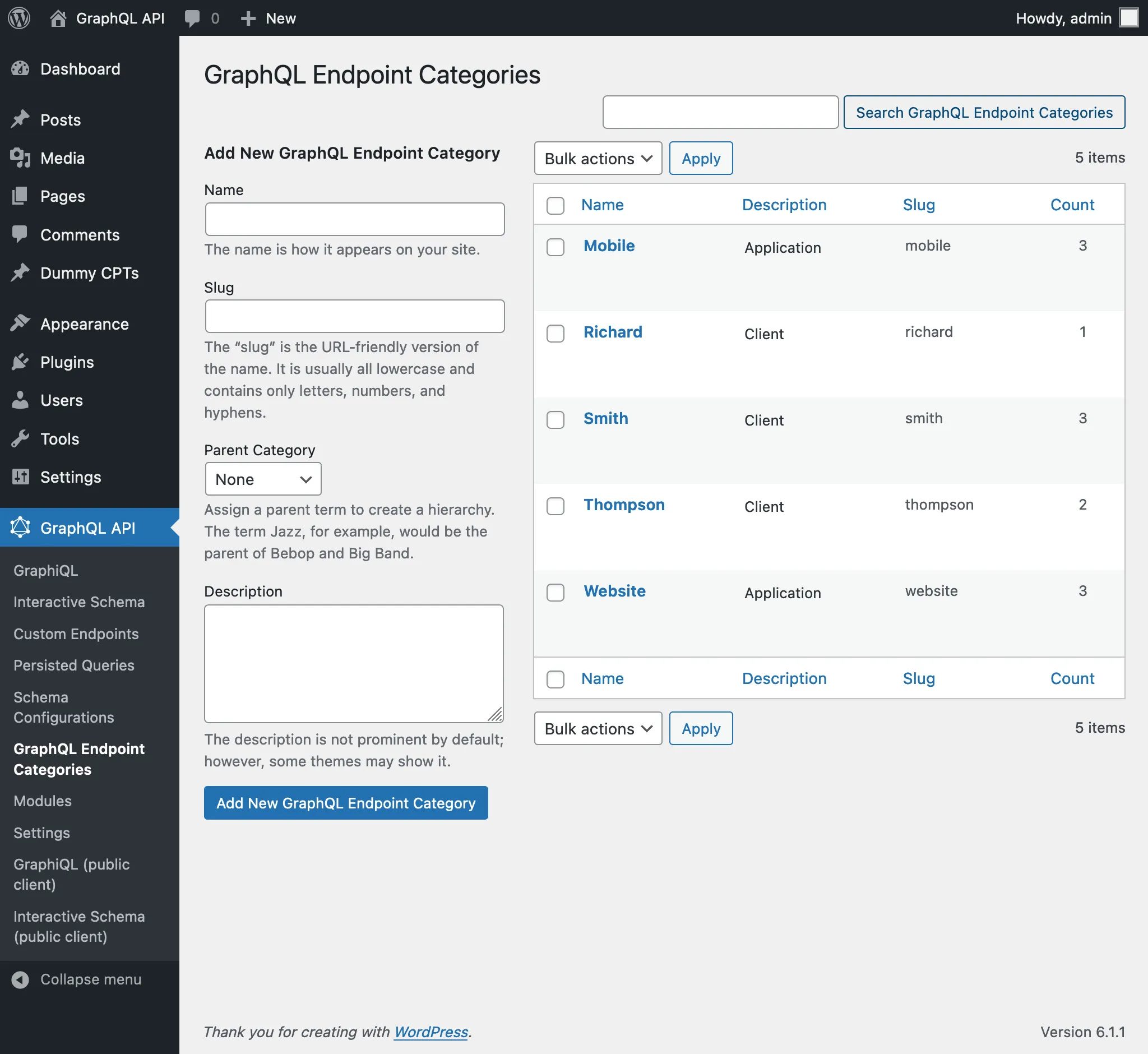
ตัวอย่างเช่น เราสามารถสร้างหมวดหมู่เพื่อจัดการ endpoints ตามลูกค้า แอปพลิเคชัน หรือข้อมูลอื่นๆ ที่จำเป็น:
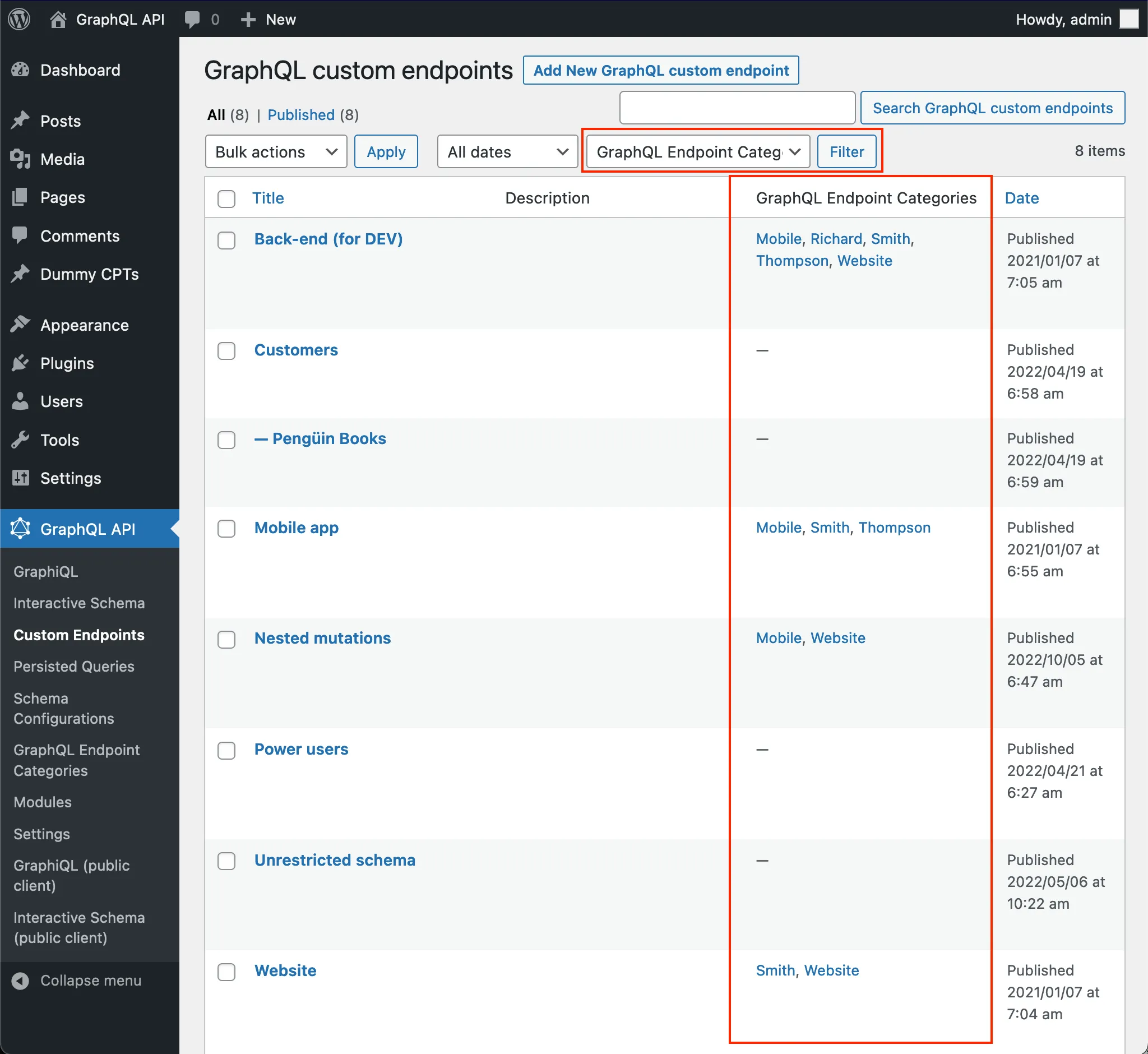
ในรายการ Custom Endpoints และ Persisted Queries เราสามารถดูหมวดหมู่ของแต่ละรายการได้ และการคลิกลิงก์หมวดหมู่ใดๆ หรือใช้ตัวกรองที่ด้านบน จะแสดงเฉพาะรายการในหมวดหมู่นั้น
Query ส่วนขยาย schema ผ่าน introspection
ขณะนี้สามารถ query metadata แบบกำหนดเองที่แนบมากับองค์ประกอบ schema ผ่าน field extensions ได้แล้ว
องค์ประกอบ introspection ทั้งหมดของ schema ได้รับการอัปเกรดด้วย field ใหม่ โดยแต่ละรายการส่งคืนออบเจ็กต์ของประเภท "Extensions" ที่สอดคล้องกัน ซึ่งเปิดเผยคุณสมบัติแบบกำหนดเองสำหรับองค์ประกอบนั้น
# Using "_" instead of "__" in introspection type name to avoid errors in graphql-js
type _SchemaExtensions {
# Is the schema being namespaced?
isNamespaced: Boolean!
}
extend type __Schema {
extensions: _SchemaExtensions!
}
type _NamedTypeExtensions {
# The type name
elementName: String!
# The "namespaced" type name
namespacedName: String!
# Enum-like "possible values" for EnumString type resolvers, `null` otherwise
possibleValues: [String!]
# OneOf Input Objects are a special variant of Input Objects where the type system asserts that exactly one of the fields must be set and non-null, all others being omitted.
isOneOf: Boolean!
}
extend type __Type {
# Non-null for named types, null for wrapping types (Non-Null and List)
extensions: _NamedTypeExtensions
}
type _DirectiveExtensions {
# If no objects are returned in the field (eg: because they failed validation), does the directive still need to be executed?
needsDataToExecute: Boolean!
# Names or descriptions of the types the field directives is restricted to, or `null` if it supports any type (i.e. it defines no restrictions)
fieldDirectiveSupportedTypeNamesOrDescriptions: [String!]
}
extend type __Directive {
extensions: _DirectiveExtensions!
}
type _FieldExtensions {
isGlobal: Boolean!
# Useful for nested mutations
isMutation: Boolean!
# `true` => Only exposed when "Expose "sensitive" data elements" is enabled
isSensitiveDataElement: Boolean!
}
extend type __Field {
extensions: _FieldExtensions!
}
type _InputValueExtensions {
isSensitiveDataElement: Boolean!
}
extend type __InputValue {
extensions: _InputValueExtensions!
}
type _EnumValueExtensions {
isSensitiveDataElement: Boolean!
}
extend type __EnumValue {
extensions: _EnumValueExtensions!
}แยก GraphQL server code ออกจาก WordPress เสร็จสมบูรณ์
เซิร์ฟเวอร์ GraphQL ที่ขับเคลื่อนปลั๊กอินสามารถติดตั้งและรันเป็น PHP component แบบ standalone ได้แล้ว กล่าวคือ ทำงานได้อย่างอิสระจาก WordPress
สิ่งนี้เปิดประตูสู่การใช้ Gato GraphQL กับ frameworks อื่นๆ (เช่น: Laravel) และในสภาพแวดล้อม PHP ใดๆ ไม่ว่า WordPress จะพร้อมใช้งานหรือไม่ (เช่น เมื่อรันงาน Continuous Integration)
เรียกดูเอกสารประกอบเมื่อแก้ไข Schema Configuration, Custom Endpoint และ Persisted Query
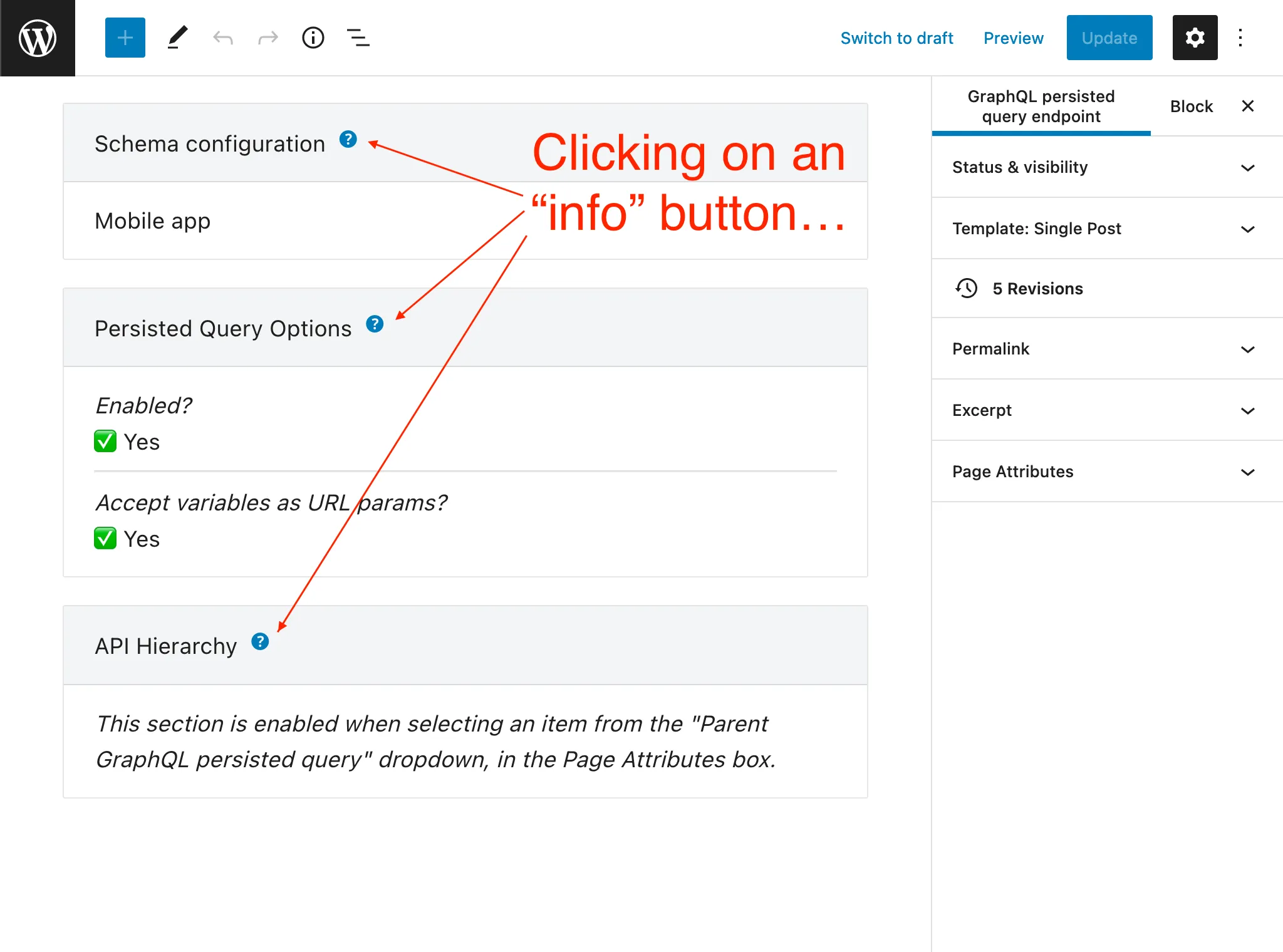
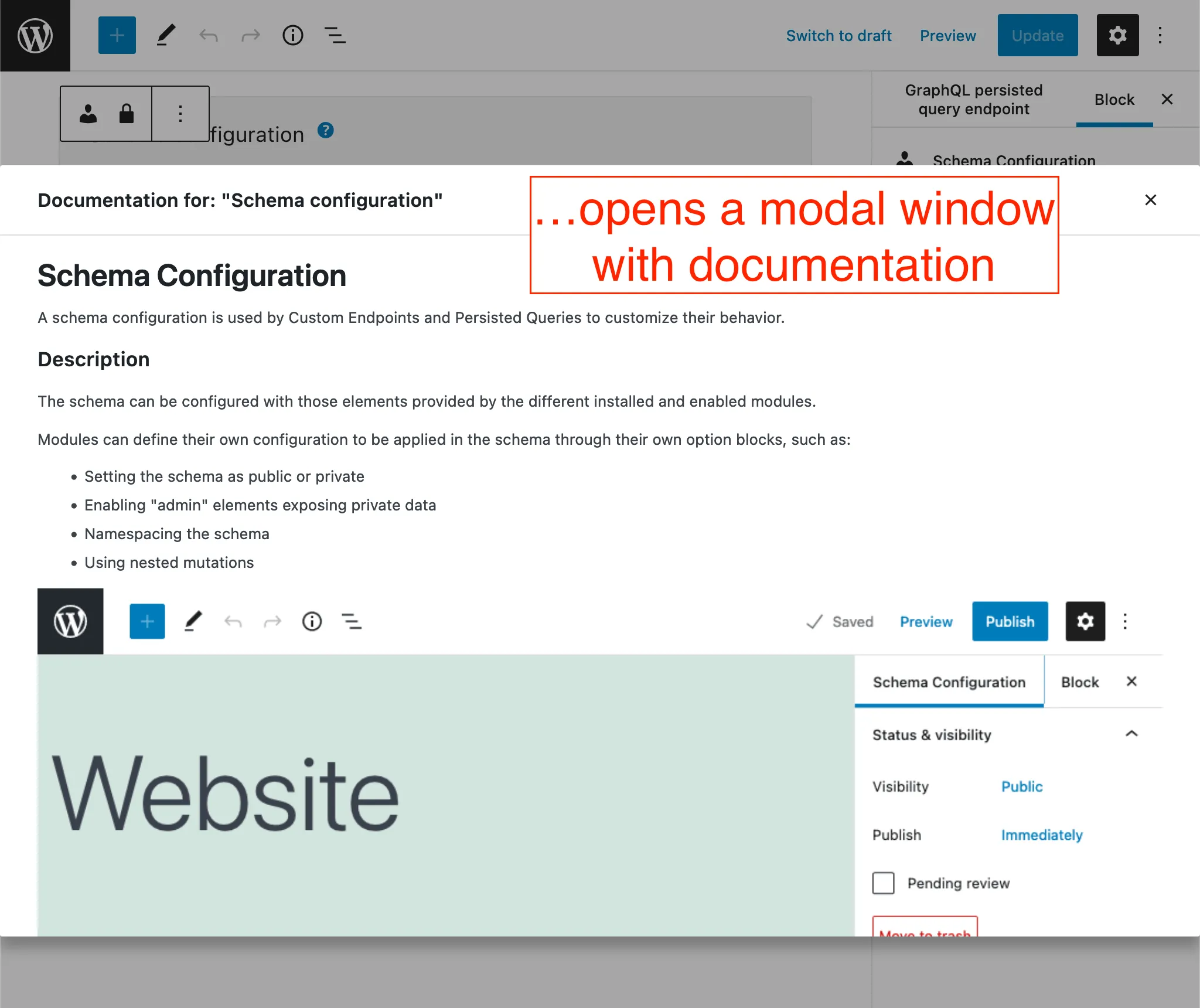
บล็อกทั้งหมดที่แสดงเมื่อแก้ไข Schema Configuration, Custom Endpoint และ Persisted Query มีปุ่ม "info" แล้ว เมื่อคลิกจะแสดงเอกสารประกอบในหน้าต่าง modal
และอื่นๆ อีกมากมาย
หากต้องการค้นพบฟีเจอร์ใหม่อื่นๆ ทั้งหมด ดูคำอธิบายฉบับเต็มของ release ใหม่ หรือเรียกดู changelog
หากคุณชอบสิ่งที่เห็น โปรดช่วยกระจายความรัก ❤️