


🙌 Gato GraphQL รองรับ Advanced Custom Fields (ACF) อย่างสมบูรณ์แบบแล้ว!

การเปิดตัว v11.3 ของ Gato GraphQL เมื่อสัปดาห์ที่แล้วได้มอบ meta mutations ให้กับผู้ใช้งาน
เมื่อผสมผสานกับ meta fields และฟีเจอร์ที่ได้รับจากส่วนขยาย PRO แล้ว meta mutations ช่วยให้เราสามารถโต้ตอบกับปลั๊กอิน Advanced Custom Fields (ACF) ได้อย่างสมบูรณ์ ทั้งการดึงข้อมูลและการแก้ไข custom fields
นั่นหมายความว่า Gato GraphQL รองรับ ACF อย่างสมบูรณ์แบบแล้ว! 🎉🥳👏🍾🙌🎊🍻
ต่อไปนี้คือตัวอย่าง queries หลายรายการที่แสดงวิธีดึงข้อมูลและแก้ไข custom fields สำหรับทุกประเภทฟิลด์ที่ ACF รองรับ:
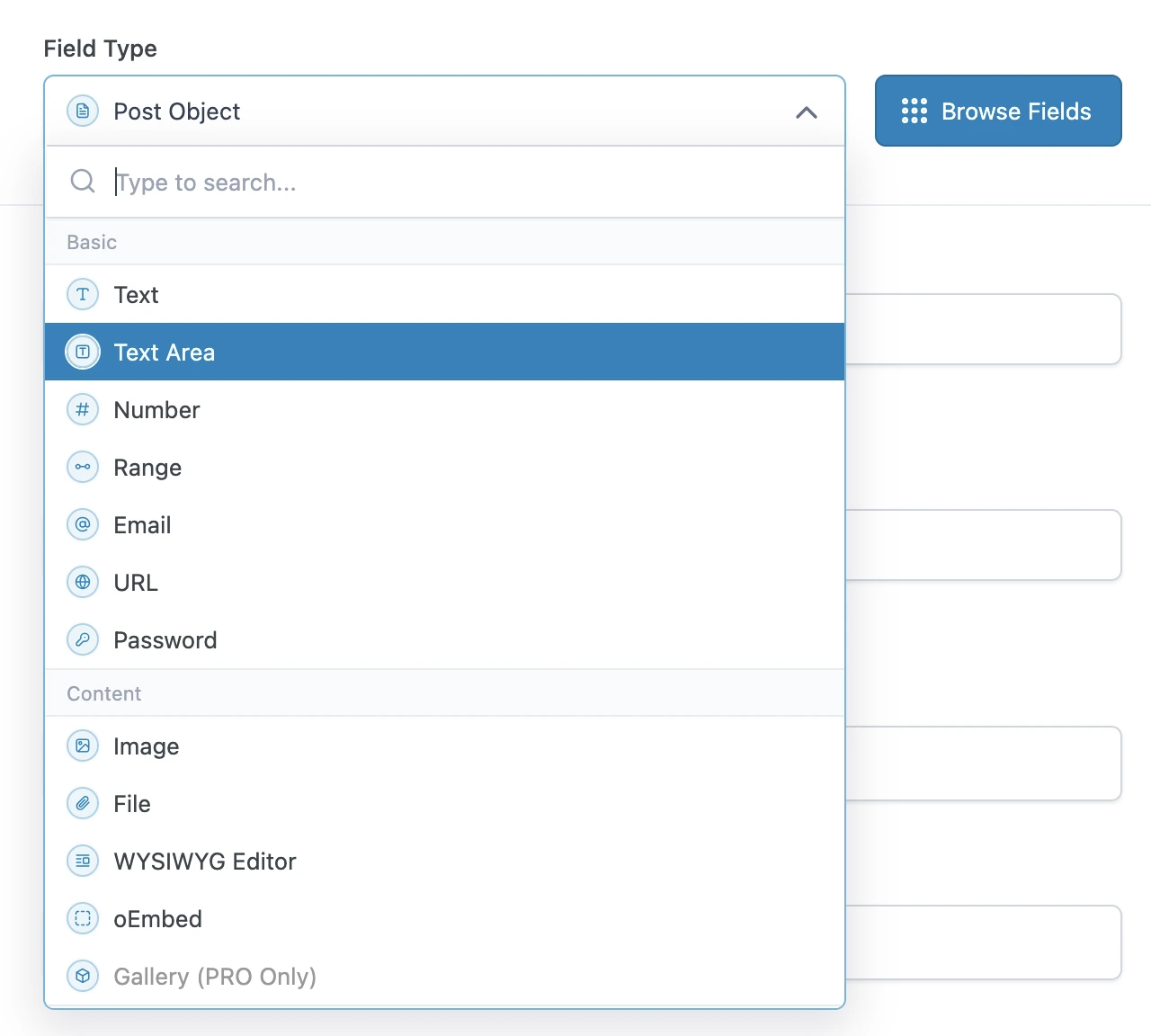
การ queries ประเภทฟิลด์พื้นฐาน
ประเภทฟิลด์พื้นฐานของ ACF สามารถ queries ได้โดยตรงโดยใช้ฟิลด์ metaValue:
query GetPost {
post(by: { id: 1 }) {
text: metaValue(key: "text_field")
textarea: metaValue(key: "textarea_field")
number: metaValue(key: "number_field")
range: metaValue(key: "range_field")
email: metaValue(key: "email_field")
url: metaValue(key: "url_field")
password: metaValue(key: "password_field")
}
}การ queries ประเภทฟิลด์เนื้อหา
หาก custom field เป็นความสัมพันธ์ (เช่น รูปภาพหรือไฟล์) เราสามารถส่งออก ID จาก meta fields และ queries เอนทิตีเหล่านั้น (ประเภท Media) ในคำสั่ง query ถัดไปได้ทันที
มิฉะนั้น หากเป็นประเภทฟิลด์แบบง่าย เราสามารถ queries ได้โดยตรงโดยใช้ metaValue:
query GetPostDataAndExportRelationships {
post(by: { id: 1 }) {
# Image field type
imageId: metaValue(key: "image_field")
@export(as: "imageId")
# File field type
fileId: metaValue(key: "file_field")
@export(as: "fileId")
# WYSIWYG editor field type
wysiwyg_editor: metaValue(key: "wysiwyg_editor_field")
# Oembed field type
oembed: metaValue(key: "oembed_field")
}
}
query QueryPostRelationships
@depends(on: "GetPostDataAndExportRelationships")
{
# Query the image
relationshipImage: mediaItem(by: { id: $imageId }) {
id
src
}
# Query the file
relationshipFile: mediaItem(by: { id: $fileId }) {
id
src
}
}การ queries ประเภทฟิลด์ตัวเลือก
ประเภทฟิลด์ตัวเลือกสามารถ queries เหมือนกับประเภทฟิลด์แบบง่าย โดยใช้ metaValue
ACF จัดเก็บอาร์เรย์ของค่าในรายการเดียว โดยเข้ารหัสเป็น JSON string ดังนั้นเราจึงต้องใช้ฟิลด์ metaValue (แทน metaValues) เพื่อดึงอาร์เรย์
สำหรับค่า boolean เราใช้ฟิลด์ _equals เพื่อแปลงจาก String เป็น Boolean:
query GetPost {
post(by: { id: 1 }) {
# Select field type - Whether a single or multiple values, we always use `metaValue`
select: metaValue(key: "select_field")
multiSelect: metaValue(key: "multi_select_field")
# Checkbox field type
checkbox: metaValue(key: "checkbox_field")
# Radio button field type
radioButton: metaValue(key: "radio_button_field")
# Button group field type
buttonGroup: metaValue(key: "button_group_field")
# True/False field type
trueFalseAsString: metaValue(key: "true_false_field")
trueFalse: _equals(value1: $__trueFalseAsString, value2: "1")
}
}การ queries ประเภทฟิลด์เชิงสัมพันธ์
หาก custom field เป็นความสัมพันธ์ (เช่น โพสต์ ผู้ใช้ taxonomy เป็นต้น) เราสามารถส่งออก ID จาก meta fields และ queries เอนทิตีเหล่านั้น (ประเภท Post, User, Taxonomy เป็นต้น) ในคำสั่ง query ถัดไปได้ทันที
มิฉะนั้น หากเป็นประเภทฟิลด์แบบง่าย เราสามารถ queries ได้โดยตรงโดยใช้ metaValue:
query GetPostDataAndExportRelationships {
post(by: { id: 1 }) {
link: metaValue(key: "link_field")
# Post Object field type
post_object: metaValue(key: "post_object_field")
@export(as: "post_object_id")
# Multiple Post Object field type
post_objects: metaValue(key: "post_objects_field")
@export(as: "post_object_ids")
# Page Link field type
page_link: metaValue(key: "page_link_field")
@export(as: "page_link_id")
# Multiple Page Link field type
page_links: metaValue(key: "page_links_field")
@export(as: "page_link_ids")
# Relationship field type
relationships: metaValue(key: "relationship_field")
@export(as: "relationship_ids")
# Taxonomy field type
categoryTaxonomy: metaValue(key: "category_taxonomy_field")
@export(as: "category_taxonomy_ids")
tagTaxonomy: metaValue(key: "tag_taxonomy_field")
@export(as: "tag_taxonomy_ids")
# User field type
user: metaValue(key: "user_field")
@export(as: "user_id")
# Multiple User field type
users: metaValue(key: "users_field")
@export(as: "user_ids")
}
}
query QueryPostRelationships
@depends(on: "GetPostDataAndExportRelationships")
{
# Query the post
postObject: customPost(by: { id: $post_object_id }, status: any) {
id
title
}
# Query the list of posts
postObjects: customPosts(filter: { ids: $post_object_ids, status: any }, pagination: { limit: -1 }) {
id
title
}
# Query the page
pageLink: page(by: { id: $page_link_id }, status: any) {
id
title
}
# Query the list of pages
pageLinks: pages(filter: { ids: $page_link_ids, status: any }, pagination: { limit: -1 }) {
id
title
}
# Query the relationship post
relationships: customPosts(filter: { ids: $relationship_ids, status: any }, pagination: { limit: -1 }) {
id
title
}
# Query the list of categories
categoryTaxonomy: categories(filter: { ids: $category_taxonomy_ids }, taxonomy: "category") {
id
name
}
# Query the list of tags
tagTaxonomy: tags(filter: { ids: $tag_taxonomy_ids }, taxonomy: "post_tag") {
id
name
}
# Query the user
user: user(by: { id: $user_id }) {
id
name
}
# Query the list of users
users: users(filter: { ids: $user_ids }, pagination: { limit: -1 }) {
id
name
}
}การ queries ประเภทฟิลด์วันที่
เนื่องจากวันที่ถูกจัดเก็บเป็น string ในรูปแบบ "YMD" (เช่น "20240320") เราจึงต้องแปลงเป็น timestamp ก่อน แล้วจึงส่งเข้าสู่ฟังก์ชัน _date
query GetPost {
post(by: { id: 1 }) {
# Date Picker field
dateAsString: metaValue(key: "date_picker_field")
dateYear: _strSubstr(string: $__dateAsString, offset: 0, length: 4)
dateMonth: _strSubstr(string: $__dateAsString, offset: 4, length: 2)
dateDay: _strSubstr(string: $__dateAsString, offset: 6, length: 2)
dateAsTimestamp: _makeTime(year: $__dateYear, month: $__dateMonth, day: $__dateDay, hour: 0, minute: 0, second: 0)
date: _date(format: "Y-m-d", timestamp: $__dateAsTimestamp)
# Date Time Picker field
dateTime: metaValue(key: "date_time_picker_field")
# Time Picker field
timeAsString: metaValue(key: "time_picker_field")
timeHours: _strSubstr(string: $__timeAsString, offset: 0, length: 2)
timeMinutes: _strSubstr(string: $__timeAsString, offset: 3, length: 2)
timeSeconds: _strSubstr(string: $__timeAsString, offset: 6, length: 2)
googleMap: metaValue(key: "google_map_field")
colorPicker: metaValue(key: "color_picker_field")
}
}การ mutate ประเภทฟิลด์ใดก็ได้
เราใช้ meta fields เพื่อเพิ่ม อัปเดต และลบ ACF custom fields
query นี้อัปเดต ACF custom fields หลายรายการพร้อมกันโดยส่ง JSON object เดียวไปยัง mutation updatePost
(สังเกตว่า JSON มีอาร์เรย์ของค่า แม้ว่ารายการนั้นจะเป็นค่าเดียวก็ตาม)
mutation UpdatePost($postId: ID!) {
updatePost(
input: {
id: $postId
meta: {
text_field: ["New text value"],
textarea_field: ["New textarea value"],
select_field: ["New select value"],
multi_select_field: ["Choice 1", "Choice 2"],
number_field: [42],
date_picker_field: ["20240320"],
}
}
) {
status
errors {
__typename
...on ErrorPayload {
message
}
}
post {
id
text: metaValue(key: "text_field")
textarea: metaValue(key: "textarea_field")
select: metaValue(key: "select_field")
multiSelect: metaValues(key: "multi_select_field")
number: metaValue(key: "number_field")
date: metaValue(key: "date_picker_field")
}
}
}query นี้อัปเดต ACF custom fields เป็นกลุ่มโดยใช้ mutation updateCustomPostMeta:
mutation UpdatePost($postId: ID!) {
updateCustomPostMetas(inputs: [
{ id: $postId, key: "text_field", value: "New text value" },
{ id: $postId, key: "textarea_field", value: "New textarea value" },
{ id: $postId, key: "select_field", value: "New select value" },
{ id: $postId, key: "multi_select_field", value: ["Choice 1", "Choice 2"] },
{ id: $postId, key: "number_field", value: 42 },
{ id: $postId, key: "date_picker_field", value: "20240320" },
]) {
status
errors {
__typename
...on ErrorPayload {
message
}
}
customPost {
__typename
id
text: metaValue(key: "text_field")
textarea: metaValue(key: "textarea_field")
select: metaValue(key: "select_field")
multiSelect: metaValues(key: "multi_select_field")
number: metaValue(key: "number_field")
date: metaValue(key: "date_picker_field")
}
}
}